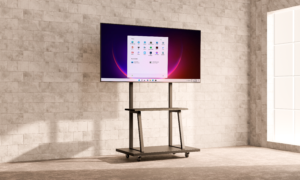
Interactive Whiteboard, Digital Signage or LED Poster: Which Display Should You Choose?
Interactive whiteboards, digital signage and LED posters may all use large displays, but they solve different problems. Choosing the correct format at the start can improve usability, control project cost and ensure the system supports its intended audience.
Choose an interactive whiteboard for participation
An interactive whiteboard is the right choice when users need to write, annotate, present and collaborate directly on the screen. It is designed for active participation rather than continuous advertising.
Best for: classrooms, training rooms, meeting rooms, vocational learning, brainstorming and group presentations.
Key questions: How many users will view the screen? Is touch writing required? Do you need a camera, microphone, Google EDLA support or a Windows OPS computer?
Choose digital signage for managed communication
Digital signage is designed to show scheduled visual content to an audience. A CMS can help staff update one or multiple displays, organise playlists and control content by time or location.
Best for: retail promotions, school announcements, menus, corporate communications, directories and waiting areas.
Key questions: Will the display be wall mounted, ceiling mounted or freestanding? How often will content change? Who will manage the CMS? Is touch interaction required?
Choose an LED poster for high-impact flexibility
An LED poster is a slim freestanding display suited to vivid portrait-format content. It can be useful when a business wants stronger visual impact, flexible placement or the option to combine multiple units.
Best for: entrances, exhibitions, events, showrooms, shopping malls and promotional campaigns.
Key questions: Is the location indoor or outdoor? What is the viewing distance? How bright is the environment? Will the unit be moved between locations?
Quick comparison
| Display type | Main purpose | Interaction | Typical placement |
|---|---|---|---|
| Interactive whiteboard | Teaching and collaboration | Multi-touch | Classroom or meeting room |
| Digital signage | Information and promotion | Optional touch | Wall, ceiling or kiosk |
| LED poster | High-impact campaign content | Primarily visual | Freestanding indoor or project-based outdoor use |
Consider the complete project
Screen size is only one part of the decision. A reliable proposal should also consider mounting, electrical supply, network access, content management, operating hours, brightness, viewing distance, training and after-sales service.
For multi-area projects, different display types can work together. For example, a school may use interactive whiteboards in classrooms, digital signage in corridors and an LED poster in the main lobby. A retailer may combine wall-mounted signage with a standing kiosk and LED poster near the entrance.
Ask for a site-based recommendation
Samview can review your room, venue or campaign requirements and recommend a practical configuration rather than simply selecting the largest screen.
Need help selecting the right display? Explore Samview Interactive Whiteboards and Samview Digital Signage Solutions, then request an official quotation and project assessment.