Digital Signage with CMS: A Smarter Way to Manage Content Across Locations
Digital signage allows organisations to replace static posters with flexible, scheduled content. For retailers, schools, offices, hotels and public venues, the real advantage is not only the screen—it is the ability to control what appears, where it appears and when it changes.
What is digital signage?
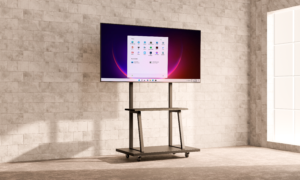
Digital signage uses commercial displays to show promotions, announcements, menus, directories, videos and public information. Displays may be wall mounted, ceiling mounted or installed as freestanding kiosks. A content management system, commonly called a CMS, helps users organise and publish content to one or multiple screens.
Why is CMS important?
Without a CMS, staff may need to update each display manually. A CMS provides a more efficient way to manage campaigns, especially when several screens or locations are involved.
- Schedule content by date and time
- Update promotions without replacing printed materials
- Manage multiple displays from a central platform
- Create playlists for different audiences or locations
- Respond quickly to announcements and campaign changes
Common applications
Retail and shopping malls
Use digital signage for product launches, promotional videos, directional information and seasonal campaigns. Content can be updated as inventory, pricing or marketing priorities change.
Schools and education
Display notices, timetables, event information, achievements and emergency announcements in reception areas, corridors, halls and common spaces.
Corporate and hospitality environments
Welcome visitors, show meeting schedules, provide directories and communicate brand messages in offices, hotels and reception areas.
Standing kiosks
Freestanding kiosks can support wayfinding, registration, self-service and interactive information. Non-touch versions are suitable for continuous visual communication, while touch models allow users to explore content and make selections.
Choosing the right configuration
Start with the viewing distance, installation position, brightness, operating hours and content format. Wall-mounted and ceiling-mounted signage can suit areas where floor space is limited. Standing kiosks are useful when a prominent portrait display or user interaction is required.
Samview provides digital signage solutions from 32 to 85 inches, together with CMS options, wall or ceiling installation and professional project assessment. Featured kiosk options include a 50-inch non-touch model and a 55-inch 20-point IR touch model with 4K portrait resolution, Android 13, 8GB RAM and 128GB storage.
Plan the content before installation
A successful project should define the target audience, message frequency, content owner and update process before deployment. This ensures the displays remain useful after installation instead of showing outdated material.
Planning a digital signage project? Explore Samview Digital Signage Solutions and request an official quotation based on your site and content requirements.